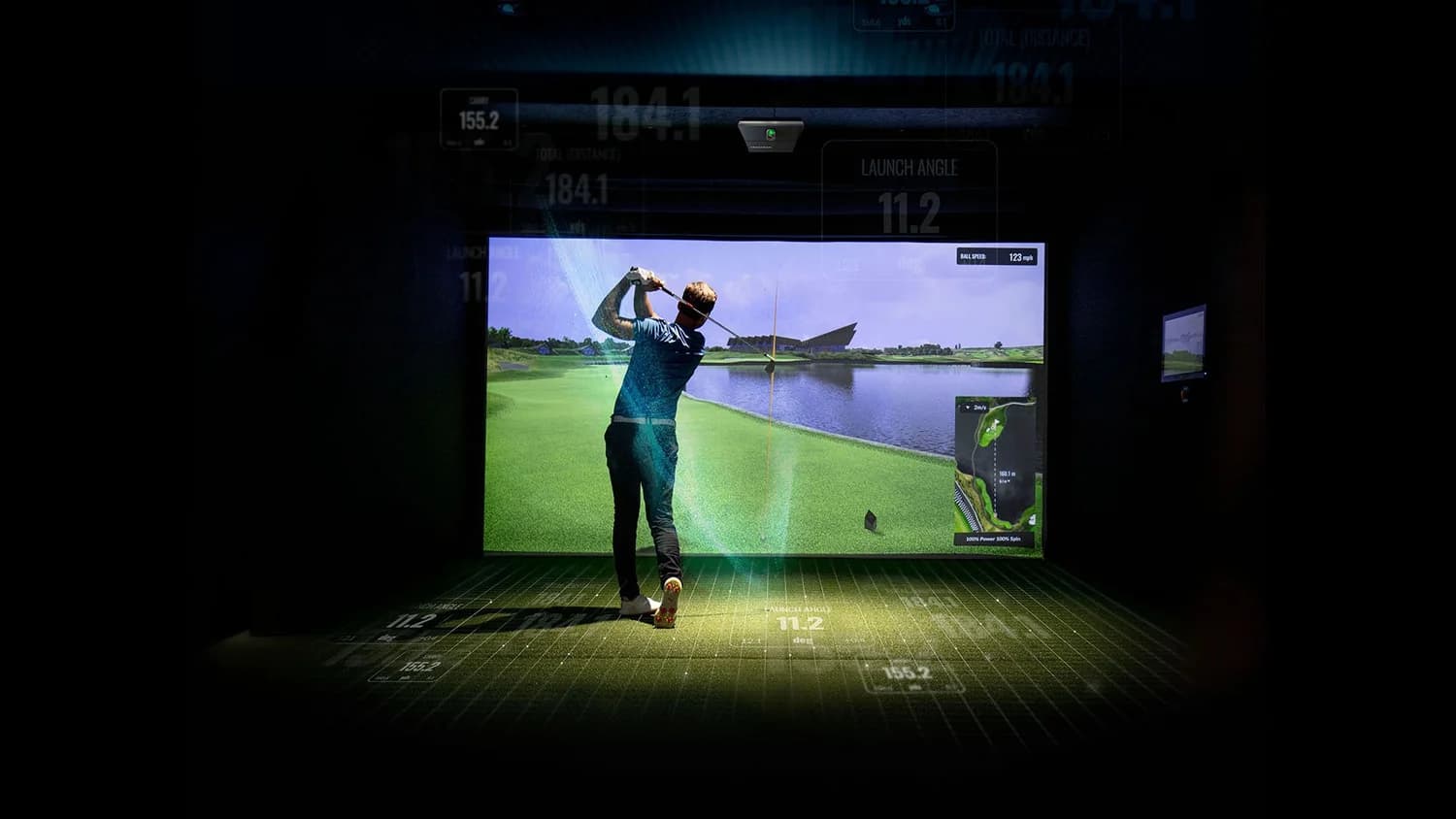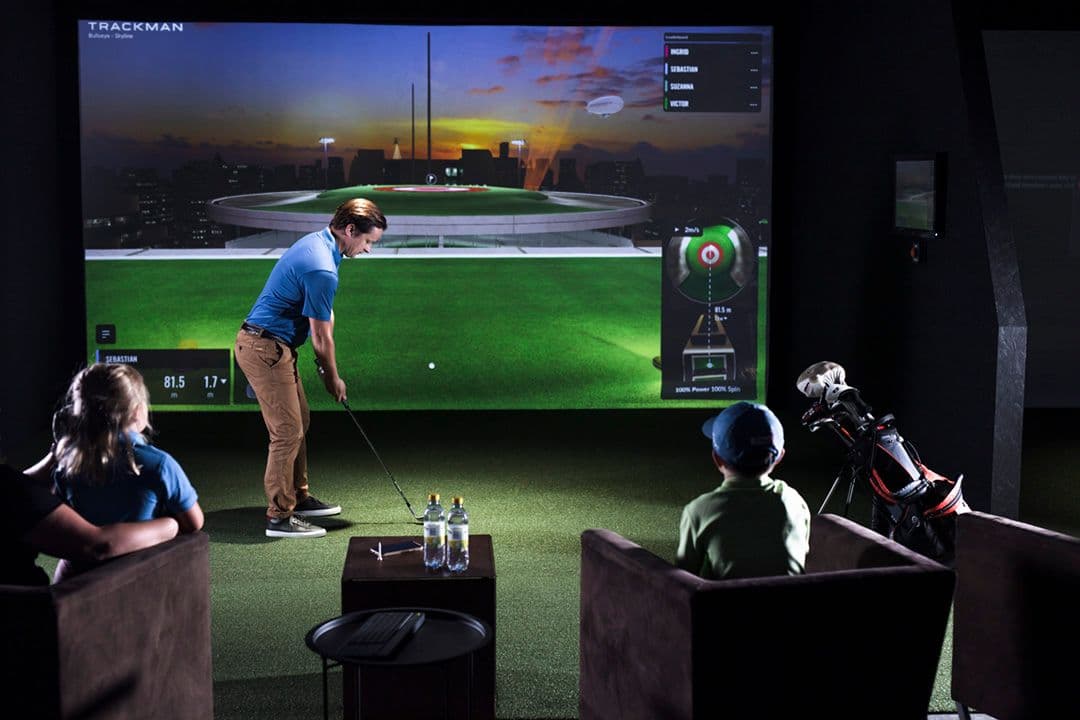
Best Golf Launch Monitors for Home Golf Simulators in 2026

Compare overhead, floor-camera and radar launch monitors by room dimensions, handedness, software cost, PC requirements and indoor/outdoor use.

Pricing and software terms verified July 11, 2026

Choose the sensor format before the brand. Overhead monitors keep the floor clear and handle left- and right-handed players without moving hardware, but they require ceiling structure, power, Ethernet and a Windows PC. Floor cameras work in shorter rooms and can travel outdoors, but they occupy space beside the ball and usually need repositioning when handedness changes. Rear radar is strong outdoors and in deep bays, but needs usable distance behind the ball and toward the screen.

Measure finished width, finished depth and clear ceiling height under ducts or beams. Then record tee-to-screen distance, projector location, the tallest player's driver swing, regular left- and right-handed users, outdoor-use needs and available PC hardware. A practical planning baseline is about 12 ft wide × 15 ft deep × 9 ft high, but the manufacturer's placement diagram and a real swing test determine whether a specific room works.

Budget for the complete system: monitor, required software, three years of renewals, gaming PC, projector or display, mounts, cabling and installation. Prices are approximate Canadian starting points as of July 11, 2026; tax, exchange, room equipment and installation are excluded unless stated. Verify the current dealer package and manufacturer manual before ordering.

Quick picks

Best golf launch monitors by home-simulator job in 2026

Match the monitor to the constraint that matters most: permanent installation, limited depth, mixed handedness, portability, purchase price or recurring cost.

CategoryWinnerWhy it wins for a home simulator
Best premium permanent installationTrackman iOCeiling mounting keeps the hitting area clear and allows left- and right-handed players to use one ball position. Trackman specifies measured ball and club data without club markers and no minimum ball-flight distance in front of or behind the ball. It requires a structural ceiling mount, power, Ethernet, a capable Windows PC and coordinated projector placement. Best suited to a permanent room where clean integration and shared use justify premium hardware and annual software cost.
Best value overhead systemUneekor EYE XO2Uneekor publishes a 28 × 21 in hitting zone with three high-speed cameras and no required ball or club stickers. The larger hitting area tolerates more variation in ball position and supports left- and right-handed players without moving a floor unit. Installation requires correct ceiling geometry, CAT6, a Windows gaming PC and projector clearance. Third-party simulator access depends on the selected Uneekor software tier.
Best for small roomsUneekor EYE XO2Its overhead cameras measure near impact, so no rear-radar corridor is required behind the golfer. The published 28 × 21 in hitting zone also provides more ball-position tolerance in constrained layouts. It does not solve inadequate swing height, width or tee-to-screen distance. Confirm mounting geometry, projector clearance and a full driver swing before ordering.
Best for mixed left- and right-handed householdsTrackman iOThe overhead sensor serves one shared hitting area, eliminating device moves and realignment between right- and left-handed shots. The floor remains clear of electronics and alignment marks. Narrow bays still need special attention: confirm current mixed-handed width guidance and whether a single-sensor or DUO layout applies before finalizing turf and enclosure dimensions.
Best portable optionGarmin Approach R50The R50 combines three-camera tracking, a built-in 10 in touchscreen, native Home Tee Hero simulation and indoor/outdoor portability. Native play does not require a gaming PC, and HDMI can feed a projector. Home Tee Hero requires a Garmin Golf membership. In a shared bay, mark safe device positions for both handedness groups and provide protected charging and storage.
Best under $1,000Square Golf Launch MonitorSquare uses near-impact camera tracking, so it can work in short indoor spaces without rear-radar clearance. The low hardware price preserves budget for a mat, net or basic screen. Expect fewer premium data and integration features, verify marked-ball and software requirements for the current Canadian package, and plan to move the unit when handedness changes.
Best under $5,000Square Golf Launch MonitorSquare stays well below the $5,000 ceiling and uses camera tracking that suits short indoor rooms. The remaining budget can cover the hitting mat, net or screen and display. It is an entry-level practice system, not a premium permanent sensor. If the budget approaches the upper end of this bracket, compare the total cost and built-in display of the Garmin R50 before investing in accessories tied to hardware you may replace.
Best with no major recurring subscriptionForesight GC3Foresight Sports Canada lists the standard GC3 without a mandatory annual plan for operation. The bundle includes club data and Foresight software. The unit works indoors and outdoors and has a built-in display. Tradeoffs are floor placement, repositioning for opposite-handed players and club markers for club data. Confirm third-party licensing separately.
Best for commercial useTrackman iOThe overhead format keeps electronics away from guest foot traffic and supports opposite-handed players without staff moving or realigning a floor unit. Trackman’s software ecosystem suits instruction and simulated play, while the permanent installation supports a consistent bay setup. Confirm commercial licensing, support terms, required PC specifications, network service and mixed-handed bay width; residential package terms may not apply.

Data-point count is not a useful tiebreaker unless the metrics are measured reliably and available in the software tier you will use. For a permanent room, prioritize placement geometry, handedness changes, putting workflow, required PC hardware and three-year software cost.

Selection criteria

Compare the constraints that determine real-world fit

Room compatibility comes first.Check sensor-to-ball geometry, rear clearance, tee-to-screen distance, mounting height, hitting-zone size and projector interference. Minimum room figures are planning floors, not guarantees; a tall player's swing or a low bulkhead can make a nominally adequate room unsafe.

Price ownership, not hardware. Add required subscriptions, third-party simulator licenses, club-data unlocks, a suitable Windows PC, mounts, cabling and three years of renewals. Confirm what stops working if a subscription is cancelled.

Separate measured from calculated data. Ball speed, launch and spin may be measured while carry, total distance or club delivery values may be calculated, model-dependent or available only with markers. More displayed metrics do not automatically mean more measured metrics.

Published specifications, manuals, Canadian dealer packages and software terms were checked on July 11, 2026. Manufacturer claims are not independent laboratory results; verify the current manual, included licenses and billing currency for the exact package being quoted.

Decision order

Room compatibility
1

Depth, height, placement, hitting zone and projector conflict

Handedness and users
2

Changeovers, shared hitting areas and guest safety

Required use
3

Permanent indoor bay, outdoor practice or both

Measured data
4

Ball and club values required for practice, fitting or instruction

Software and putting
5

Native play, third-party access, course library and putting

Total ownership cost
6

Hardware, software, PC, mount and three-year renewals

Installation and service
7

Structure, cabling, calibration, updates and repair access

Best by real-world use case

Match sensor placement to the room and users

Room geometry, handedness changes, portability and total system cost narrow the options faster than headline accuracy claims.

Permanent luxury simulator

Best for a finished home bay

In a permanent basement, dedicated room or insulated garage, an overhead system keeps the floor clear, removes electronics from foot traffic and usually allows left- and right-handed players to share one hitting position. Specify the structural mount, power, Ethernet, service access and projector location before drywall closes.

Trackman iO offers a premium software ecosystem, marker-free measured ball and club data and no specified minimum ball-flight distance. Uneekor EYE XO2 offers a published 28 × 21 in hitting zone, sticker-free tracking and tiered software plans. Both require ceiling structure, Ethernet, a gaming PC and projector coordination before finishes begin.

Compare hitting-zone size, mounting-height range, left/right coverage, putting support, included software, annual fees and required PC specifications. Choose a floor unit only if portability, outdoor use or installation limits outweigh the cleaner overhead layout.

Small rooms

Best for compact basements and short garages

Short depth is the most common home-simulator constraint. Rear radar needs space behind the ball plus usable flight toward the screen. Many basements can fit a full swing and still leave a radar setup feeling compromised. Near-impact camera systems and overhead sensors usually reduce that pressure because they do not require the same rear flight corridor.

Camera tracking does not solve inadequate swing height, width or screen distance. Locate the hitting position under the highest clear ceiling section, then set tee-to-screen distance, screen size and monitor placement together. Uneekor EYE XO2 avoids rear-radar depth while keeping a large shared hitting zone. Floor photometric options such as GC3 or R50 remain practical when overhead mounting is impossible.

Confirm the space against the room size guide and ceiling height guide before accepting a claim that a monitor “fits any room.” Manufacturer placement ranges assume adequate swing volume and safe screen distance.

Mixed left- and right-handed households

Best when changeovers happen every round

A side-mounted floor camera normally moves to the opposite side of the ball when handedness changes. Each move can require a new device position, alignment check and protected cable path. An overhead system serves both sides from one fixed position.

For a floor unit, confirm that both device positions fit inside the enclosure width without entering the swing path. Mark both positions in the turf, check whether the hitting strip must shift and verify whether software recalibration is required after each move.

Trackman iO provides a clear floor and one shared hitting position in a permanent install. Uneekor EYE XO2 offers the same overhead advantage with a larger published hitting zone and different software tiers. If portability or budget requires a floor camera, mark protected positions on both sides of the ball and verify that each position clears the golfer and enclosure.

Portable practice

Best when the monitor must travel

For portable use, compare battery life, setup time, weather limits, built-in display, phone or tablet dependence and projector output. Garmin Approach R50 has a built-in touchscreen, native simulator software and HDMI output, so it can run practice and Home Tee Hero without a gaming PC while still supporting outdoor use.

Foresight GC3 is the stronger choice when photometric indoor/outdoor use and no mandatory Canadian subscription for standard operation outweigh the R50's larger display. Square is the lower-cost indoor-only option with fewer premium features and less suitable long-term integration.

In a permanent enclosure, provide alignment marks, protected charging, storage and an HDMI or data route. Keep the device and cables outside the swing path, ball-return path and normal foot traffic.

Budget brackets

Best by price is not the same as best for the room

Set separate budgets for the monitor and the complete simulator. A low-cost sensor can preserve money for a better mat, screen and projector, while a premium overhead sensor may reduce floor clutter and handedness friction in a permanent room.

Under $1,000, Square provides camera-based indoor practice without rear-radar clearance. Between roughly $5,000 and $10,000, Garmin R50 adds a 10 in display, native simulation and outdoor use, but requires a membership for Home Tee Hero. Around $10,250 CAD, GC3 adds a no-mandatory-subscription Canadian ownership model. Premium overhead systems add permanent mounting, clear-floor operation and seamless handedness changes.

Separate these two questions every time: best device under $5,000 versus best complete simulator choice for a $30,000 room. They are not the same product decision.

Model comparison

Compare room, installation, data and ownership requirements

Switch between overview, room and installation, data and simulator, and ownership views. Pricing and software plans last checked July 11, 2026. Confirm Canadian dealer pricing, licensing and manufacturer requirements before purchase.

Choose what to compare

Compare intended use, Canadian price position, tracking technology, placement and indoor/outdoor capability.

ProductBest forApprox. priceTracking technologyPlacementIndoor / outdoor
Trackman iOPremium permanent installationFrom US$13,995Ceiling-mounted radar, infrared and high-speed imagingoverheadindoor
Uneekor EYE XO2Value overhead systemUS$10,999Three high-speed cameras / photometric trackingoverheadindoor
Foresight GC3No-major-subscription ownershipUS$6,999Triscopic high-speed camera systemfloorindoor-outdoor
Garmin Approach R50Portable simulator and practiceUS$4,999.99Three-camera photometric trackingfloorindoor-outdoor
Square Golf Launch MonitorEntry-level indoor practiceUS$699.99Camera-based, floor-mounted trackingfloorindoor

Scroll horizontally only within this table on smaller screens. Each view keeps the product name visible while you compare the related details.

Interactive launch-monitor finder

Shortlist by room, budget and how the bay will be used

Enter room dimensions, budget, handedness, portability, subscription and PC preferences. Any dimensional conflict appears with the shortlist.

Sensor technology

Radar vs camera launch monitors for real rooms

Radar systems typically sit behind the golfer and benefit from more room behind the ball and more flight toward the screen. That can be excellent outdoors and in deep bays. In a shallow Toronto basement, the same geometry often forces uncomfortable compromises: the unit too close, the screen too close, or both.

Camera-based systems measure around impact, either beside the ball or from above. Floor cameras can work indoors and outdoors, but they occupy the hitting area and may need to move for left/right play. Overhead photometric or hybrid systems keep the floor clear and simplify shared use, provided the ceiling can accept the mount, network connection and projector relationship.

Short rooms usually favour floor cameras or overhead systems. Outdoor use requires a portable radar or photometric floor unit. Overhead sensors are usually easiest for mixed-handed households. Marked-ball and club-sticker requirements vary by model and by the data being captured. Check the current manual for each system.

Technology type does not override the placement diagram. Confirm the exact model's rear clearance, ball-flight distance, sensor height, hitting zone, lighting requirements and approved balls before fixing the mat or screen position.

Will it fit a 10 × 15 × 9-foot room? Often yes for overhead and floor-camera systems if swing clearance and tee-to-screen distance work for the tallest regular player. Not automatically yes for every rear-radar layout. Confirm finished clear height under ducts and beams before ordering hardware.

Rear radar

Best when depth is generous and outdoor practice matters. Plan rear clearance, target-line alignment, screen distance and protected storage. Weakest when the basement is short and every inch behind the ball is contested.

Floor camera

Best for compact rooms and portable indoor/outdoor use. Plan repeatable ball position, safe device location, charging and left/right changeovers. Weakest when the finished room must look empty and guests should never touch the hardware.

Overhead systems

Best for permanent shared bays. Plan ceiling blocking, mount coordinates, Ethernet, power, projector interference and service access. Weakest when the ceiling cannot support a proper mount or the buyer needs true outdoor portability.

Subscriptions, PCs and three-year cost

The price on the box is not the cost of the simulator

A $4,000 monitor with mandatory software, a gaming PC and weak third-party access can cost more over three years than a nominally more expensive device with clearer ownership terms. Price complete scopes against each other: hardware, club-data add-ons, required software, course subscriptions, third-party licenses, gaming computer, mounting hardware, swing cameras, replacement accessories, plus three- and five-year renewals.

Canadian and US totals vary with tax, dealer packaging and exchange rates. Displayed hardware prices are starting points from July 11, 2026, not live checkout totals. A dealer-tier price covers the monitor only unless the quote explicitly includes software, PC hardware, mounting and room equipment.

PlatformPC needRecurring costWhat to confirm before buying
Trackman iOWindows gaming PC requiredUSD $700/yr Home subscription; confirm Canadian billingTrackman Performance Studio and Virtual Golf; Trackman ecosystem
Uneekor EYE XO2Windows gaming PC requiredPro $199/yr, Champion $399/yr or Ultimate $599/yr USD; verify planUneekor Launcher, View and optional packages; Supported with qualifying Uneekor subscription
Foresight GC3Optional for full simulationNo mandatory subscription for standard GC3 operationFSX Play, FSX 2020 and FSX Pro included in current Canadian bundle; Confirm current licensing with Foresight Canada
Garmin Approach R50Native use without PCGarmin Golf membership required for Home Tee HeroGarmin Golf / Home Tee Hero; Confirm current compatibility before purchase
Square Golf Launch MonitorOptional for full simulationCheck current software and course planSquare Golf app and supported simulator options; Confirm current compatibility before purchase

Last verified July 11, 2026. Software tiers change. Re-check free software included, paid tiers required, course libraries, third-party compatibility, Windows/Mac/iOS/Android support, offline use, multiplayer, practice tools, annual cost and features lost after cancelling.

Product reviews

Room fit, data, software and cost for each monitor

Compare room requirements, measured data, software access, installation work, three-year cost, advantages, drawbacks and the closest alternative.

Best for: Premium permanent installation

Trackman iO

Verdict: Best suited to a permanent premium room that needs a clear floor, seamless opposite-handed play and marker-free ball and club tracking. It requires a structural ceiling mount, Windows PC and annual software.

Category fit

The overhead format keeps electronics out of the hitting lane, supports one shared ball position and captures measured ball and club data without markers. Trackman Performance Studio and Virtual Golf provide an integrated indoor software environment.

Room and placement

Trackman iO is an indoor ceiling-mounted system combining radar, infrared and high-speed imaging, with no specified minimum ball-flight distance in front of or behind the ball. The floor remains clear and opposite-handed players can share one hitting area. Installation depends on verified ceiling structure, projector clearance, wired networking and a capable Windows PC. For a 10-ft-wide mixed-handed bay, confirm whether Trackman’s current DUO guidance applies to the exact configuration.

Planning minimum: 10 × 12 × 9 ft. This is not a guaranteed fit; confirm exact offsets in the current manufacturer manual and test a full driver swing.

Installation

  • Mount to verified ceiling structure; do not rely on finish material alone.
  • Plan dedicated power, wired Ethernet and a concealed PC path.
  • Coordinate projector lens and sensor position before final ceiling layout.
  • Leave service access for future alignment, firmware and hardware support.
  • Budget a high-performance Windows PC and a clean cable route to the projector and display.

Ball data, club data and claim limits

Ball: Measured ball and club data, including 3D spin. Club: Included. Markers: No club or ball markers required. Trackman specifies measured ball and club data, including measured 3D spin, from combined radar, infrared and high-speed imaging. These are manufacturer claims, not independent laboratory results. Confirm which metrics and software features are included in the quoted package.

Handedness, software and computer

Left/right changeover: no unit move for a shared overhead hitting area. Putting: Supported in Trackman Virtual Golf. Native software: Trackman Performance Studio and Virtual Golf. Third-party support: Trackman ecosystem. Gaming PC: required. Display: External display/projector.

Three-year ownership cost

Hardware price: From US$13,995. Annual software cost: USD $700/yr Home subscription; confirm Canadian billing. Three-year estimate: Hardware + about USD $2,100 software before optional room equipment. Add enclosure, projector, turf and installation separately for permanent rooms.

Advantages

  • Clean, permanent overhead layout with no floor hardware in the hitting lane
  • Strong mixed-handed usability in a shared family or guest bay
  • No marked balls or club markers required for core tracking

Drawbacks

  • Indoor-only design
  • Premium hardware plus recurring software cost
  • Requires a capable Windows gaming PC and careful ceiling planning

Buy, skip and closest alternative

Buy if: Homeowners building a permanent Toronto or GTA simulator who want the monitor designed into the architecture, especially households that share the bay between left- and right-handed players.

Skip if: Golfers who primarily need outdoor range use, buyers who refuse annual software, or rooms where the ceiling cannot support a proper mount and cable path.

Closest alternative: Uneekor EYE XO2 offers a larger published hitting zone and a different software cost structure.

Best for: Value overhead system

Uneekor EYE XO2

Verdict: A strong permanent overhead option when a large hitting zone, sticker-free tracking and opposite-handed play matter more than portability. A Windows PC and paid software tier are part of the system.

Category fit

The published 28 × 21 in hitting zone provides more ball-position tolerance than smaller overhead zones. Three high-speed cameras track ball and club data without marked balls or club stickers, and the ceiling position eliminates handedness changeovers.

Room and placement

Uneekor publishes a 28 × 21 in hitting zone for EYE XO2, the largest in its current overhead lineup, with three high-speed cameras and sticker-free ball and club tracking. The larger zone allows more variation in ball position within a shared bay. Installation requires sensor-to-ball geometry from the current manual, CAT6 to the gaming PC and projector clearance outside the sensor’s working volume. It is a permanent indoor sensor, not an outdoor portable.

Planning minimum: 10 × 12 × 9 ft. This is not a guaranteed fit; confirm exact offsets in the current manufacturer manual and test a full driver swing.

Installation

  • Allow a dedicated CAT6 run to the gaming PC.
  • Set mounting position from the current manufacturer manual, not a generic ceiling centreline.
  • Keep the sensor clear of projector mounts, bulkheads and decorative beams.
  • Confirm lighting conditions and mat colouring against Uneekor’s current guidance.
  • Decide the software package before final commissioning so third-party access is intentional.

Ball data, club data and claim limits

Ball: 24 ball and club data points. Club: Included. Markers: No marked balls or club stickers required. Uneekor specifies 24 ball and club data points from three high-speed cameras. That figure is manufacturer-published; confirm which values are directly measured, calculated or software-tier dependent before comparing it with another platform.

Handedness, software and computer

Left/right changeover: no unit move for a shared overhead hitting area. Putting: Software-dependent; confirm intended platform. Native software: Uneekor Launcher, View and optional packages. Third-party support: Supported with qualifying Uneekor subscription. Gaming PC: required. Display: External display/projector.

Three-year ownership cost

Hardware price: US$10,999. Annual software cost: Pro $199/yr, Champion $399/yr or Ultimate $599/yr USD; verify plan. Three-year estimate: Hardware + selected software plan + PC and installation. Add enclosure, projector, turf and installation separately for permanent rooms.

Advantages

  • Large 28 × 21 in published hitting zone
  • No ball markings or club stickers required
  • Straightforward mixed-handed use in a permanent bay

Drawbacks

  • Permanent indoor installation only
  • Windows PC required for simulator use
  • Software access and third-party support depend on the selected package

Buy, skip and closest alternative

Buy if: Homeowners who want an overhead permanent bay, a generous hitting area and strong left/right usability without stepping all the way into the absolute top of the Trackman commercial tier.

Skip if: Buyers who need one device for range and home, or rooms where ceiling height, beams or projector layout make overhead mounting unrealistic.

Closest alternative: Trackman iO suits buyers who prioritize its software ecosystem and premium permanent installation.

Best for: No-major-subscription ownership

Foresight GC3

Verdict: A portable indoor/outdoor camera system with a built-in display and no mandatory subscription for standard Canadian operation. It sits beside the ball, uses club markers for club data and must move when handedness changes.

Category fit

The Canadian bundle combines triscopic camera tracking, club data, a built-in display and included Foresight software without a mandatory annual plan for standard operation. That makes three-year cost easier to forecast than platforms requiring yearly access fees.

Room and placement

The Canadian GC3 bundle is currently sold around $10,250 CAD with club data and Foresight software included. Foresight Sports Canada states that standard GC3 operation does not require a subscription. Its side-of-ball camera position uses less depth than rear radar and supports outdoor use, but a permanent room needs an alignment mark, protected storage and separate positions for right- and left-handed players. Club data requires markers.

Planning minimum: 10 × 12 × 8.5 ft. This is not a guaranteed fit; confirm exact offsets in the current manufacturer manual and test a full driver swing.

Installation

  • Build a repeatable alignment position into the turf or stance mat.
  • Keep a protected storage location beside the bay when the room is in use.
  • Plan a display and PC only if you want full simulator use.
  • Mark both right- and left-handed device positions if the household is mixed-handed.
  • Protect the unit from foot traffic, bag straps and mishits when the bay is busy.

Ball data, club data and claim limits

Ball: Measured ball speed, launch, spin and carry. Club: Included in the Canadian GC3 bundle. Markers: Club markers included for club data. Foresight specifies triscopic high-speed camera measurement for ball and club data. Canadian dealer documentation is the source for package contents and price; no independent accuracy score is assigned here.

Handedness, software and computer

Left/right changeover: floor unit typically needs repositioning. Putting: Platform and setup dependent. Native software: FSX Play, FSX 2020 and FSX Pro included in current Canadian bundle. Third-party support: Confirm current licensing with Foresight Canada. Gaming PC: optional depending on simulator goals. Display: Built-in LCD touch screen.

Three-year ownership cost

Hardware price: US$6,999. Annual software cost: No mandatory subscription for standard GC3 operation. Three-year estimate: ≈ $10,250 CAD hardware bundle before optional room equipment and upgrades. Add enclosure, projector, turf and installation separately for permanent rooms.

Advantages

  • Indoor and outdoor capable in one device
  • Built-in display and battery for practice without a full sim PC
  • No mandatory subscription for standard Canadian GC3 operation

Drawbacks

  • Floor unit needs repositioning for mixed handedness
  • Club markers are used for club data
  • High upfront cost before enclosure and projector

Buy, skip and closest alternative

Buy if: Golfers who want one serious photometric unit for indoor simulation and outdoor practice, and who prefer buying software once rather than renting access every year.

Skip if: Households that hate moving a floor unit between left- and right-handed players, or luxury rooms that must look empty when the simulator is not in use.

Closest alternative: Garmin Approach R50 adds a built-in 10 in display and native use without a gaming PC.

Best for: Portable simulator and practice

Garmin Approach R50

Verdict: A portable indoor/outdoor simulator with a 10 in touchscreen and native play without a gaming PC. Home Tee Hero requires a Garmin Golf membership, and the floor unit must move for opposite-handed players.

Category fit

The built-in display, native simulator software and HDMI output combine the monitor, practice screen and basic simulator computer in one portable device. It can move between an indoor bay and outdoor practice without requiring a permanent ceiling installation.

Room and placement

The Approach R50 combines a 10 in touchscreen, three-camera tracking and HDMI output for a projector or external display. Native practice and Home Tee Hero do not require a gaming PC, but Home Tee Hero requires an active Garmin Golf membership. Indoors, mark the device position, keep it outside the swing path and provide protected charging and storage.

Planning minimum: 10 × 12 × 8.5 ft. This is not a guaranteed fit; confirm exact offsets in the current manufacturer manual and test a full driver swing.

Installation

  • Use a marked device location and protected power/charging position in a permanent bay.
  • Run HDMI to the projector only after confirming cable length and display settings.
  • Store the unit away from impact and foot traffic between sessions.
  • Confirm membership features and course access before promising a specific simulator experience.
  • If both handedness groups use the room, mark two safe device positions rather than improvising each round.

Ball data, club data and claim limits

Ball: More than 15 ball and club metrics. Club: Included metrics; verify club-specific fields for your use. Markers: No marked balls required for core tracking. Garmin specifies more than 15 ball and club metrics from the three-camera system. Confirm the exact measured and calculated fields in current support documentation; the metric count is a manufacturer claim, not an independent accuracy ranking.

Handedness, software and computer

Left/right changeover: floor unit typically needs repositioning. Putting: Supported in Home Tee Hero. Native software: Garmin Golf / Home Tee Hero. Third-party support: Confirm current compatibility before purchase. Gaming PC: not required for native use. Display: Built-in 10 in touchscreen.

Three-year ownership cost

Hardware price: US$4,999.99. Annual software cost: Garmin Golf membership required for Home Tee Hero. Three-year estimate: Hardware + Garmin membership + any projector/enclosure selected. Add enclosure, projector, turf and installation separately for permanent rooms.

Advantages

  • Built-in 10 in display removes the need for a separate practice screen
  • Indoor and outdoor use from one portable unit
  • No gaming PC required for native Home Tee Hero simulation

Drawbacks

  • Floor placement can interrupt a finished luxury room
  • Simulator access requires Garmin Golf membership
  • Not an overhead solution for concealed permanent installs

Buy, skip and closest alternative

Buy if: Golfers who want a serious portable simulator experience without building a Windows gaming PC, and who will use the monitor both at home and away from home.

Skip if: Design-first luxury rooms that need an invisible overhead sensor, or buyers who want zero recurring membership cost.

Closest alternative: Foresight GC3 offers a Canadian bundle without a mandatory subscription for standard operation.

Best for: Entry-level indoor practice

Square Golf Launch Monitor

Verdict: A low-cost, indoor-only camera monitor for practice and entry-level simulation. It has fewer premium data and integration features, may require marked balls for some functions and must move when handedness changes.

Category fit

Near-impact camera tracking gives short-room indoor practice at a much lower hardware cost than premium floor or overhead systems. The tradeoff is a narrower feature set, less permanent integration and more package details to verify at purchase.

Room and placement

Square’s near-impact camera position works in short rooms without the rear clearance required by radar. Place it beside the ball, outside the swing and foot-traffic path, and expect to move it for opposite-handed players. Verify the current Canadian package, supported software, credit or subscription model and marked-ball requirements before ordering.

Planning minimum: 10 × 10 × 8 ft. This is not a guaranteed fit; confirm exact offsets in the current manufacturer manual and test a full driver swing.

Installation

  • Use the manufacturer’s ball and device positioning guide every session.
  • Avoid placing it where a player can kick it during a swing.
  • Choose a removable cable and storage plan rather than building it into the room.
  • Confirm marked-ball and software requirements for the exact SKU you are buying.
  • Do not size a permanent enclosure around this class of device if an upgrade is likely within a year.

Ball data, club data and claim limits

Ball: Core ball metrics; verify current product specification. Club: Limited versus premium systems. Markers: Marked balls may be required for some features. Budget camera systems vary by firmware and ball requirements. Confirm the current specification sheet for the exact model sold in Canada rather than relying on older third-party roundups.

Handedness, software and computer

Left/right changeover: floor unit typically needs repositioning. Putting: Confirm current software support. Native software: Square Golf app and supported simulator options. Third-party support: Confirm current compatibility before purchase. Gaming PC: optional depending on simulator goals. Display: Phone/tablet or external display.

Three-year ownership cost

Hardware price: US$699.99. Annual software cost: Check current software and course plan. Three-year estimate: Hardware + selected software; lowest hardware entry cost compared here. Add enclosure, projector, turf and installation separately for permanent rooms.

Advantages

  • Low entry cost for indoor practice
  • Compact placement that works in short rooms
  • Portable enough to test the lifestyle before a permanent build

Drawbacks

  • Not a permanent-install choice for finished luxury rooms
  • Feature and software limits need careful verification at purchase time
  • Mixed handedness requires moving the unit

Buy, skip and closest alternative

Buy if: Golfers testing indoor practice in a spare room or temporary bay before committing to a permanent enclosure and premium sensor.

Skip if: Anyone designing a finished architectural simulator room, commercial bay or long-term shared family installation.

Closest alternative: Garmin Approach R50 provides a more complete portable simulator experience at a higher price.

Common buying mistakes

Expensive errors happen at the intersection of room, tech and timing

Most expensive mistakes come from incorrect room geometry, overlooked software costs, handedness friction or late construction changes.

01

Buying rear radar for a room that is too short

A room can have enough swing clearance and still lack the depth required by rear radar. Measure finished depth, then allocate the manufacturer’s required unit-to-ball and ball-to-screen distances before fixing the hitting position.

02

Ignoring left/right-handed changeovers

A side-mounted floor unit normally needs a second protected position for opposite-handed players. Confirm the move, alignment and recalibration steps. Overhead systems avoid this changeover by covering one shared hitting area.

03

Forgetting the gaming-PC and display cost

Many overhead platforms require a capable Windows PC and external display. Compare complete costs: monitor, PC, Windows license, projector or display, software, cabling and installation. A portable unit with a built-in display may cost less as a working system.

04

Comparing hardware price without subscription cost

Course libraries, club-data tiers and third-party connectors may renew annually. Calculate three-year cost and record which features stop working after cancellation. A higher-priced no-mandatory-subscription package can cost less over time.

05

Assuming every monitor supports putting the same way

Putting claims range from basic simulated roll to more complete software-and-mat workflows. Confirm the exact monitor, software package and room setup if putting matters to you.

06

Buying on data-point count alone

Separate directly measured values from calculated outputs, then confirm which metrics require club stickers, marked balls or a paid tier. Prioritize the values needed for practice, fitting or instruction rather than the total metric count.

07

Failing to plan ceiling power and data

Overhead sensors need verified structure, power, Ethernet and service access. Add the mount location and cable routes to the construction drawings before insulation and drywall.

08

Mounting the projector where it conflicts with the sensor

Plan projector lens position, throw distance, mount depth and sensor clearance in one ceiling layout. Check that neither mount blocks the other’s field of view or required service area.

09

Assuming outdoor performance guarantees indoor fit

Outdoor performance does not prove indoor fit. Check rear clearance, ball-flight distance, lighting, approved balls, alignment, floor placement and handedness changes for the indoor configuration.

10

Choosing a portable device for a permanently finished luxury room by default

A portable used in a permanent room needs repeatable alignment marks, protected storage, charging and cable routes. If a clear floor and automatic handedness changes are requirements, specify an overhead system instead.

Toronto & GTA installation planning

Not sure which monitor fits your room?

Send width, depth, clear ceiling height, photos, left/right users, budget and any preferred system. We will identify monitors that fit the room before you buy.

FAQ

Launch monitor questions about rooms, software and ownership

What is the best golf launch monitor for a home simulator in 2026?

There is no universal best launch monitor. The right answer depends on room depth and ceiling height, whether the bay is permanent or portable, whether left- and right-handed golfers share it, whether outdoor use matters, and what the three-year software and PC cost will be. For a finished permanent room, an overhead system such as Trackman iO or Uneekor EYE XO2 is usually the easiest long-term experience. For indoor/outdoor practice without a ceiling install, Foresight GC3 or Garmin Approach R50 are stronger fits.

What is the best overhead golf launch monitor?

Trackman iO is the premium choice for a permanent finished room and Trackman software ecosystem. Uneekor EYE XO2 offers a published 28 × 21 in hitting zone and sticker-free tracking. Both support opposite-handed players without moving hardware, and both require a structural ceiling mount, network cabling, projector coordination and a capable Windows PC.

Trackman iO vs Uneekor EYE XO2: which should I buy?

Choose Trackman iO for a premium permanent room and Trackman’s software ecosystem. Choose Uneekor EYE XO2 for a larger published hitting zone, sticker-free workflow and different software costs. Both are indoor overhead systems. Choose a portable floor unit for outdoor practice.

Do overhead launch monitors work for left- and right-handed golfers?

Usually yes, and that is one of the main reasons overhead systems win in shared homes. A ceiling sensor can cover a hitting area without moving a floor unit between players. Confirm the manufacturer’s published hitting zone, mount geometry and any narrow-bay guidance before you cut turf or close the ceiling. In narrow rooms, some brands also publish dual-sensor or special mixed-handed configurations that should be confirmed with the dealer.

Do I need a gaming PC for a golf simulator?

Many premium overhead systems require a capable Windows gaming PC for simulation. Portable systems such as the Garmin Approach R50 can run native simulator software on a built-in display, which removes that barrier for some homeowners. A PC can still be required later if you want certain third-party platforms, higher-resolution projection or a more elaborate room. Always price the computer with the monitor if the manufacturer requires one.

How much room do I need for a golf launch monitor?

A practical home-simulator planning baseline is about 12 ft wide × 15 ft deep × 9 ft high. Camera-based and overhead systems are often more practical in compact rooms than rear radar because they do not need the same rear flight path. Swing clearance still decides whether the room is safe. Measure finished clear height under ducts and beams, not raw structural height, and validate tee-to-screen distance with the specific monitor manual.

Are camera-based launch monitors better than radar indoors?

Camera-based units often work more easily in short rooms because they measure around impact rather than needing a long flight path behind and in front of the ball. Radar can still be excellent indoors when geometry and ball-flight requirements are respected, and some hybrid overhead systems combine both approaches. Choose the specific model based on its placement manual and your room dimensions.

Which launch monitors do not require a subscription in Canada?

The standard Canadian Foresight GC3 bundle does not require a mandatory annual subscription for core launch-monitor operation. Software, course content and third-party integrations can still carry separate costs on any platform. Trackman, Uneekor and Garmin packages commonly include recurring software or membership terms. Always confirm the exact package, country and renewal terms before buying.

What is the best golf launch monitor in Canada for a home sim?

For a permanent finished room, compare Trackman iO and Uneekor EYE XO2. For standard operation without a mandatory subscription, compare the Canadian Foresight GC3 bundle. For portable simulation without a gaming PC, consider Garmin Approach R50. Confirm Canadian dealer pricing, tax, included software and billing currency before buying.

Can I install a portable launch monitor in a finished simulator room?

Yes, but plan it like furniture that also happens to be expensive electronics. The room needs a repeatable alignment position, protected charging or storage, and a place for the unit outside the player’s path. A portable monitor can be the right performance and budget choice; it is simply less invisible than an overhead system once the millwork and turf are finished.

What should I measure before choosing a launch monitor?

Measure finished width, finished depth, clear ceiling height at the hitting position, tee-to-screen distance, bulkheads, beams, doors, and the intended projector location. Also note the tallest player’s swing, whether left- and right-handed golfers will share the bay, whether outdoor use is required, and whether a gaming PC is already owned. Those answers usually eliminate half the market before any specification sheet matters.

Is the best launch monitor under $5,000 the same as the best monitor for a $30,000 room?

No. Under $5,000, Square is a practical indoor-practice option that preserves budget for a mat, screen and display. In a $30,000+ finished bay, an overhead Trackman iO or Uneekor EYE XO2 can justify its higher price by clearing the floor, simplifying opposite-handed play and integrating into the ceiling. Compare complete three-year system cost, not monitor price alone.

Will a launch monitor fit a 10 × 15 × 9-foot room?

Often yes for camera-based floor units and many overhead systems, provided swing clearance, tee-to-screen distance and mount geometry all work for the people who will use the room. It is not automatically ideal for every radar setup or every tall golfer. Use the room dimensions as a filter, then confirm the exact manufacturer placement guide and a real swing test in the space.

Validate the room

Check the selected monitor against the Golf Sim Room Planner, confirm dimensions in the room size guide and check driver clearance in the ceiling height guide. Confirm the manufacturer's placement manual before fixing the hitting strip, screen or projector.

Contact UsGet Quote