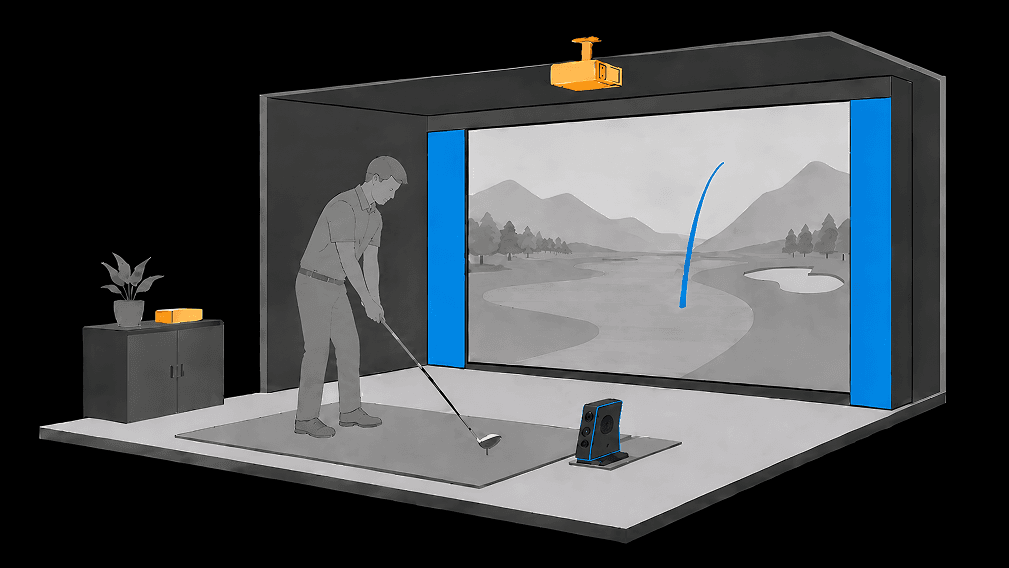
Room size guide
Golf simulator room size & dimensions
Questions, or want a custom golf sim designed?
ContactBuilt In Golf · Planning guides for home installs in Canada
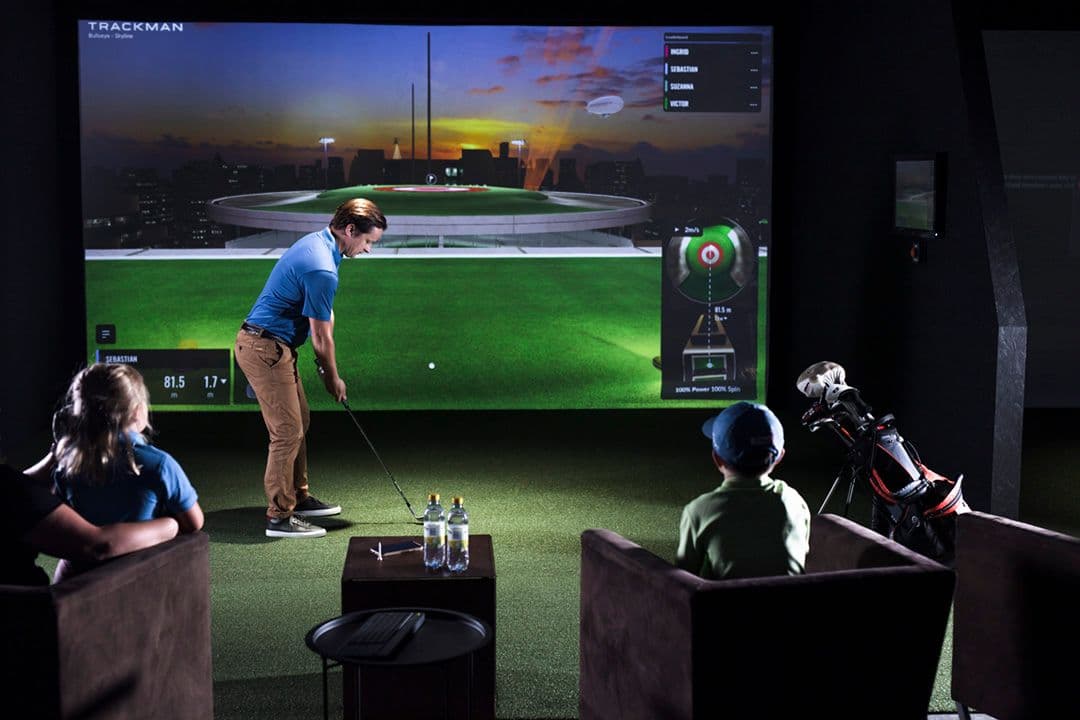
If you want a clear planning target, use 12 ft width x 15 ft depth x 9 ft ceiling as the baseline for a comfortable home golf simulator room. It gives enough space for full swings, practical monitor placement, and a layout that does not feel cramped.
You can go smaller. The usual minimum floor is around 10 x 12 x 8.5 with compromises: tighter stance, limited monitor options, and stricter swing constraints. On the other end, room quality jumps fast above 14 ft width, 17 ft depth, and 10 ft ceilings, especially for taller players and premium dual-purpose rooms.
This page is designed to answer every planning funnel question in one place: room size, dimensions, depth, width, space requirements, layout, and whether your basement or garage can actually support the build.
Golf simulator dimensions by setup goal
Minimum workable
Tight- Width
- 10 ft / 3.0 m
- Depth
- 12 ft / 3.7 m
- Ceiling
- 8.5 ft / 2.6 m
Shorter players, compact swings, and floor-based launch monitors with practical compromises.
Recommended home setup
Best balance- Width
- 12 ft / 3.7 m
- Depth
- 15 ft / 4.6 m
- Ceiling
- 9-10 ft / 2.7-3.0 m
Most single-bay home simulators with comfortable full swings and balanced performance.
Premium full-comfort
Ideal- Width
- 14-16 ft / 4.3-4.9 m
- Depth
- 17-20 ft / 5.2-6.1 m
- Ceiling
- 10 ft+ / 3.0 m+
Taller players, overhead monitor options, dual-purpose lounge layouts, and design-first builds.
How much room width you need
10 ft is minimum, 12 ft is the planning baseline
At 10 ft, many golfers can play but the space feels technical and unforgiving. Twelve feet gives enough side clearance to keep stance and swing mechanics natural for most households.
Add width for left- and right-handed play
Mixed-handed use benefits from 13 to 15 ft widths so players can rotate positions without awkward compromises or constant setup shifts.
Protect side zones, not just the centre lane
Shanks and mishits happen. Plan impact-safe side areas so the room remains safe at full speed, not just during careful test swings.
How much room depth you need
12 ft is compact minimum
You can build in 12 ft depth, but this usually requires careful monitor choice and strict spacing between player and screen.
15-18 ft is the sweet spot
Most high-performing home builds sit in this range because it supports clean monitor placement, comfortable stance depth, and smoother flow around the hitting zone.
Monitor type changes depth strategy
Radar and camera systems can have different preferred ball and player positions. Depth planning should happen with monitor selection, not after hardware arrives.
Layout sequence that prevents mistakes
- 01
Lock the hitting zone first
Place the player where swing clearance and monitor geometry both work. Everything else references this position.
- 02
Size screen and enclosure second
Match screen dimensions to usable width and ceiling, not to a generic package size.
- 03
Select launch monitor around the room
Choose monitor style based on real height, depth, and side-clearance conditions.
- 04
Map safety lanes and side protection
Define where mishits can go and harden those zones before finish decisions.
- 05
Integrate power, data, and lighting
Plan circuits, cable paths, and glare control with framing and finish scope.
- 06
Finalize comfort and flow
Add storage, seating, and circulation so the room works day-to-day, not just during demo swings.
Basement and garage fit
Can your basement fit a simulator?
Basements are the most common simulator location, but raw dimensions can be misleading. Finished ceiling height below ducts, beam drops, and soffits is what determines real fit.
In many Toronto homes, moving the hitting zone to the highest available section, exposing joists, and selecting the right monitor type turns a borderline basement into a highly usable room without structural overreach.
Can your garage fit a simulator?
Garages often win on width and height, which helps room-size planning, but climate and floor strategy become the critical requirements.
Strong garage builds plan insulation, temperature stability, durable impact surfaces, and layout around door tracks and storage so the room remains reliable year-round.
Fast planning checklist
- Confirm usable width where the player stands
- Confirm depth from tee to screen plus rear clearance
- Validate real ceiling clearance below ducts and beams
- Choose launch monitor type before final layout
- Reserve side safety zones for mishits
- Plan power, data, and lighting with the build
Need vertical clearance numbers first? See the ceiling height guide. Want to sketch screen, tee, and projector spacing? Use the Golf Sim Room Planner.
FAQ
How much space do you need for a golf simulator?+
A practical minimum is about 10 ft wide by 12 ft deep by 8.5 ft high, but most homeowners are much happier at roughly 12 ft wide by 15 ft deep with 9 to 10 ft ceilings. That range supports safer full swings, better launch monitor placement, and more flexible layout options.
What is the minimum room size for a golf simulator?+
For a usable single-bay room, think 10 ft width, 12 ft depth, and 8.5 ft height as a strict floor. It can work with compact swings and a floor-based monitor, but the experience improves significantly as soon as you move toward 12 ft width, 15 ft depth, and 9+ ft ceilings.
What room width do I need for a golf simulator?+
10 ft is minimum, 12 ft is recommended, and 14+ ft is ideal if both left- and right-handed players will use the room. Width is mostly about comfort and safety: enough side clearance for your swing arc and enough lane width to keep stance and ball position natural.
What room depth do I need for a golf simulator?+
12 ft is a compact minimum, while 15-18 ft gives better spacing between player, hitting zone, launch monitor, and screen. Depth requirements vary by monitor type, but extra depth almost always improves safety, tracking consistency, and overall comfort.
What are standard golf simulator room dimensions in metric?+
A common recommended size is around 3.7 m wide x 4.6 m deep x 2.7-3.0 m high. Minimum spaces are often around 3.0 m wide x 3.7 m deep x 2.6 m high, with setup compromises.
Can I put a golf simulator in my basement?+
Usually yes. Basements are often the best option, but you need to account for ducts, beams, bulkheads, and final finished ceiling height rather than raw structural height. Placement of the hitting zone under the highest usable ceiling section is often the deciding factor.
Can I put a golf simulator in my garage?+
Yes, and garages often provide strong width and height. The key requirements are climate stability, durable flooring strategy, and a layout that handles door tracks, storage, and possible dual-use scenarios if the bay is not fully dedicated.
What are the full room requirements beyond dimensions?+
Room planning should include ceiling clearance, swing path, launch monitor geometry, projector throw, impact/safety zones, electrical/data, lighting, and acoustic control. Dimensions are the first filter, but integrated planning is what makes the room actually perform.
How does this relate to ceiling height planning?+
Room size and ceiling height should be planned together. If your main concern is vertical clearance, use our dedicated ceiling guide to validate what works at 8.5, 9, and 10+ feet, then bring those numbers back into your full room layout.
Still deciding between a hitting net and a full screen bay? Read net vs enclosure. After width and depth planning, confirm ceiling clearance and sketch your layout with the ceiling height guide, the Golf Sim Room Planner, and our launch monitor guide. For budgets by build type, see the installation cost guide.